NEWS RELEASE
JACAR Database: Search Functionality Improvements
Japan Center for Asian Historical Records
Since our system update of March 2026, searches on occasion have created inconveniences by producing results that include a large number of items unrelated to the words being searched for. We have worked on improving this to make it easier to find the records for which the user is searching. In addition, we also addressed multiple word searches, searching by phrase, displaying highlights, and detailed views.
1. Improvements to Search Results
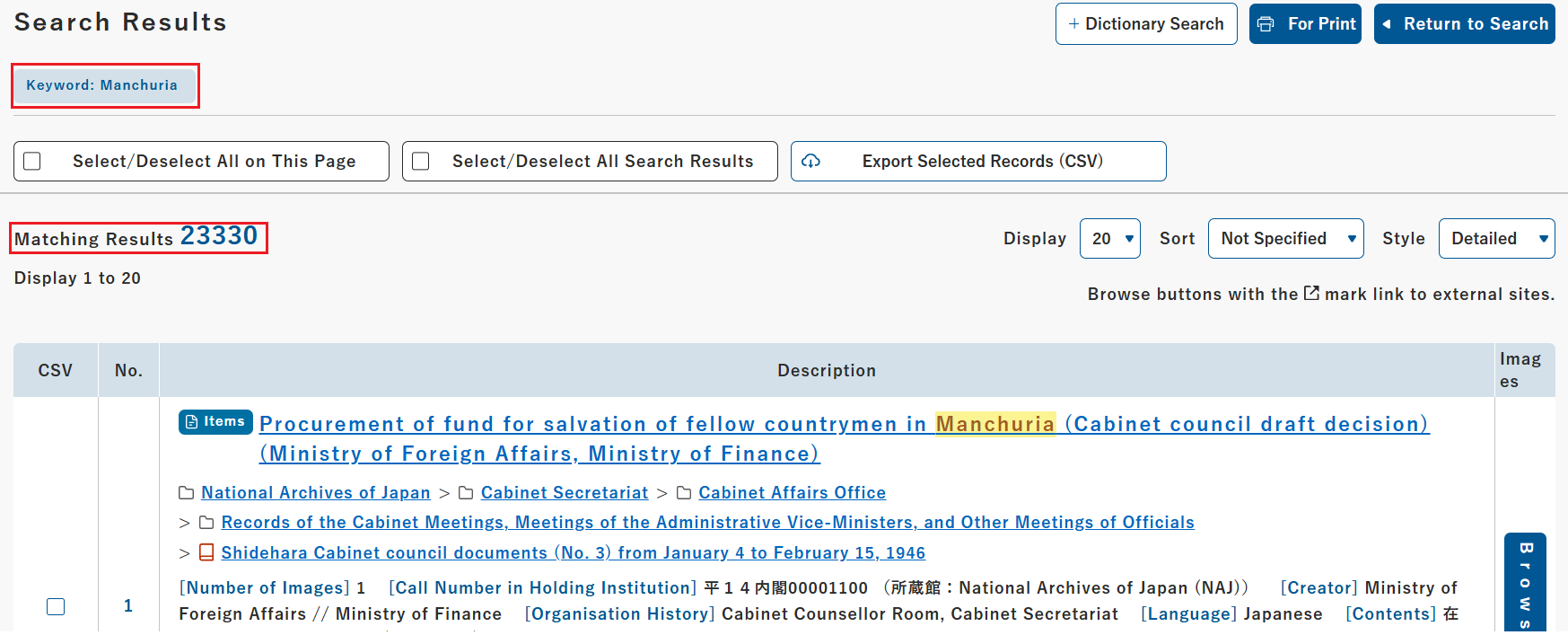
For both Japanese and English, only those records that include the same character string as the search word will be shown as search results. This will reduce irrelevant search results and make it easier to find the records being searched for.
2. Search for Multiple Words and for Phrases
Separate multiple words with spaces to search for records that contain all of the words. Enclose multiple words with double quotation marks (“) to search only for those records that contain the phrase with the words in the exact order in which they were input (phrase search).
Pacific War => Searches for records that contain both "Pacific" and "War"
"Pacific War" => Searches for only those records that contain "Pacific War"
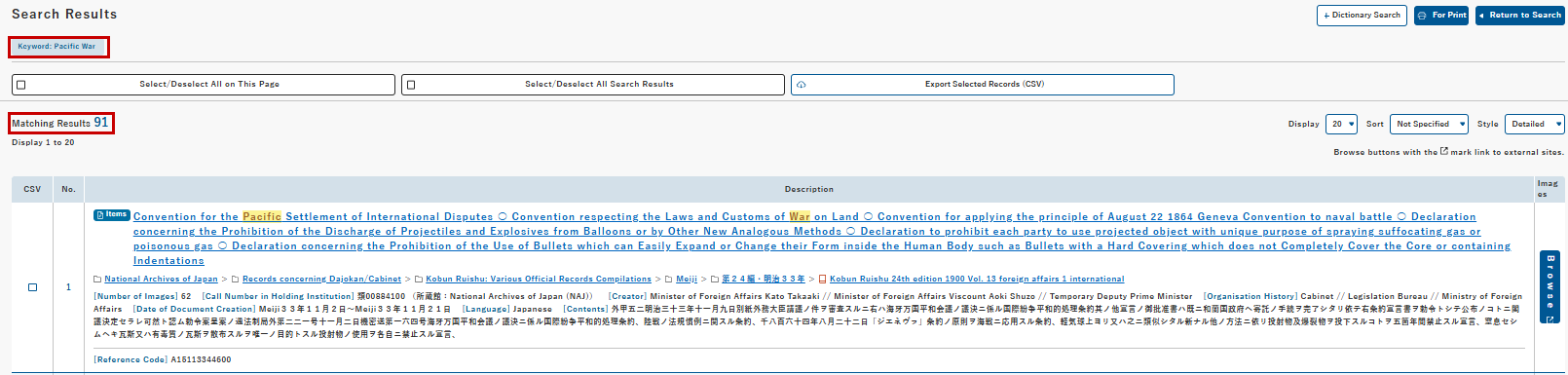
Example of words being separated by a space (Pacific War). The words "Pacific" and "War" are highlighted.
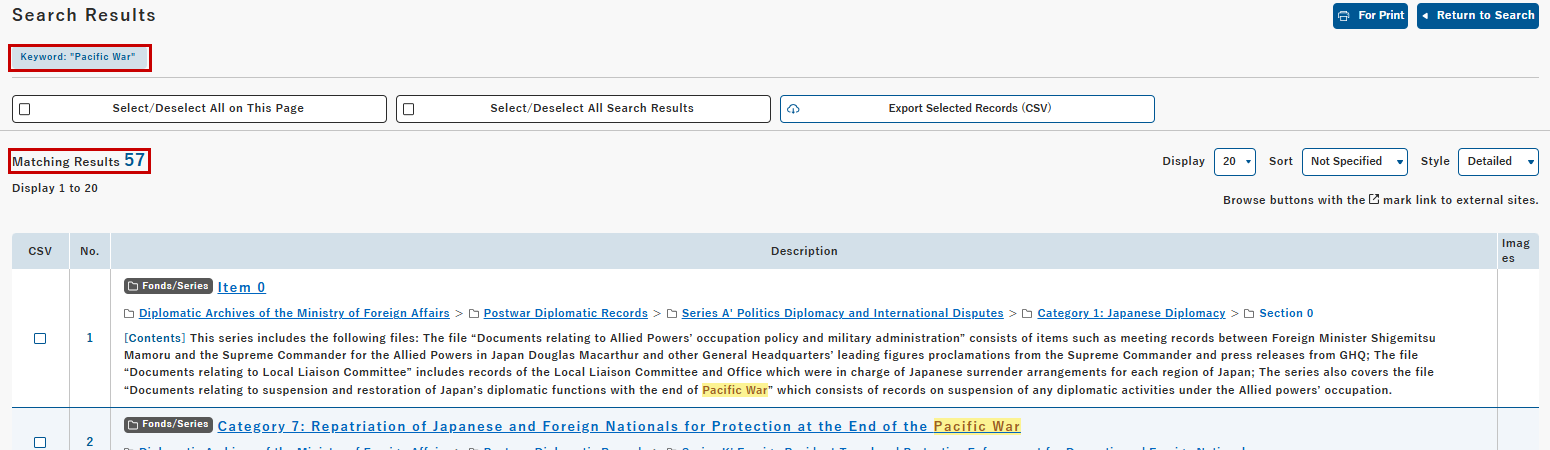
Example of enclosing words with double quotation marks ("Pacific War"). Only those places where the phrase "Pacific War" appears are highlighted.
3. Search Words Highlighted
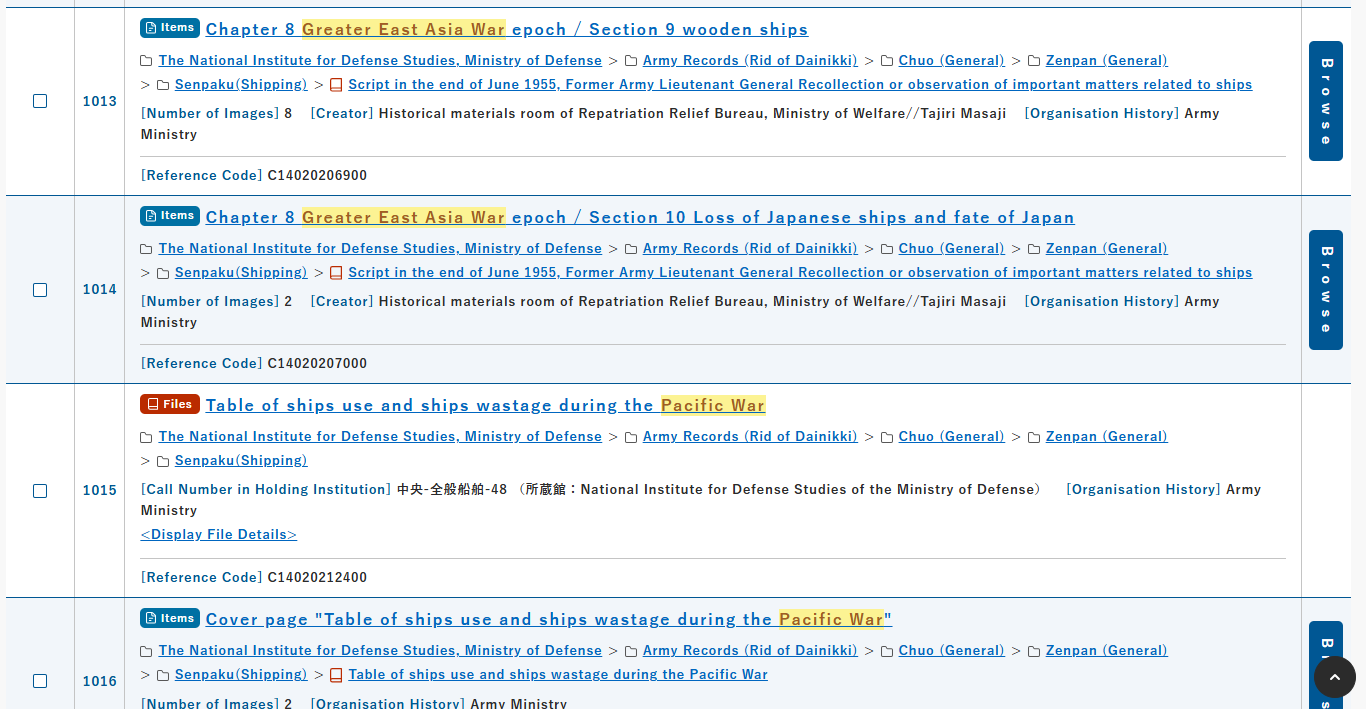
Search words and the words that form a phrase search are highlighted. This also applies to words that match the results of “Search by Specifying Dictionary – Alternative Spelling” and of refined searches. For example, if you search for “Pacific War,” or furthermore using an OR operator search and add the phrase “Greater East Asia War,” both phrases will be highlighted.
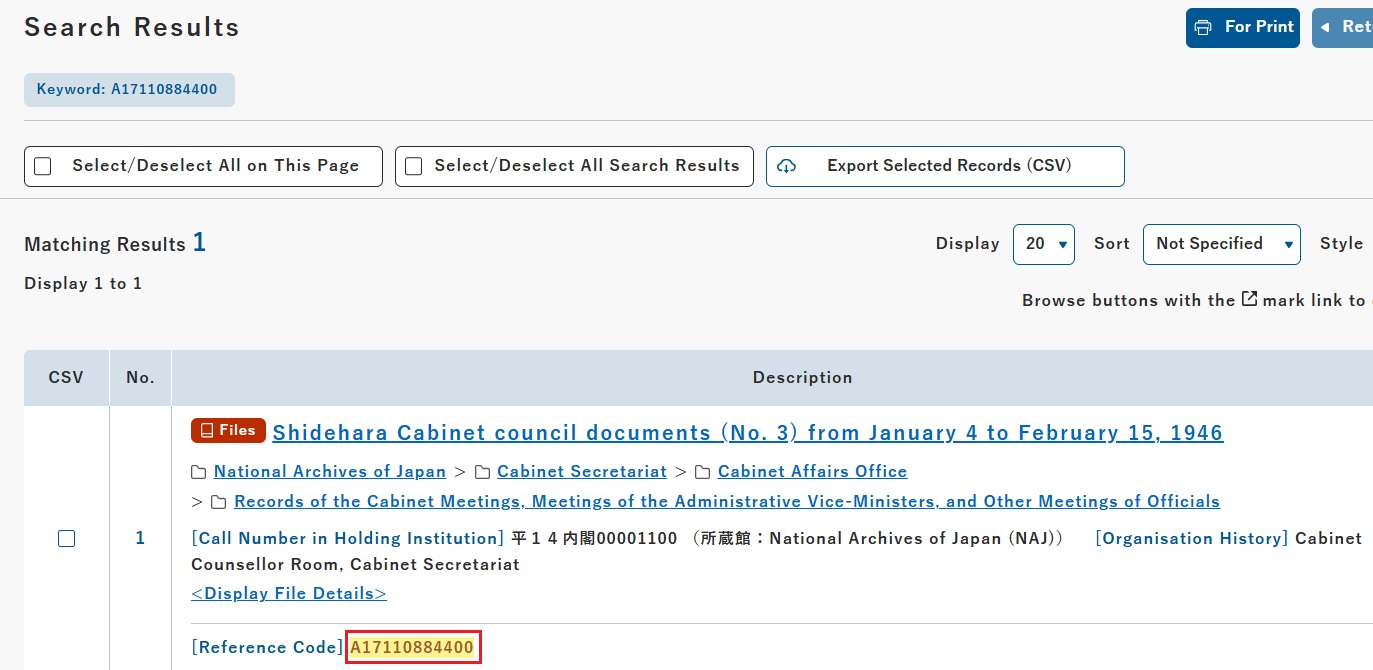
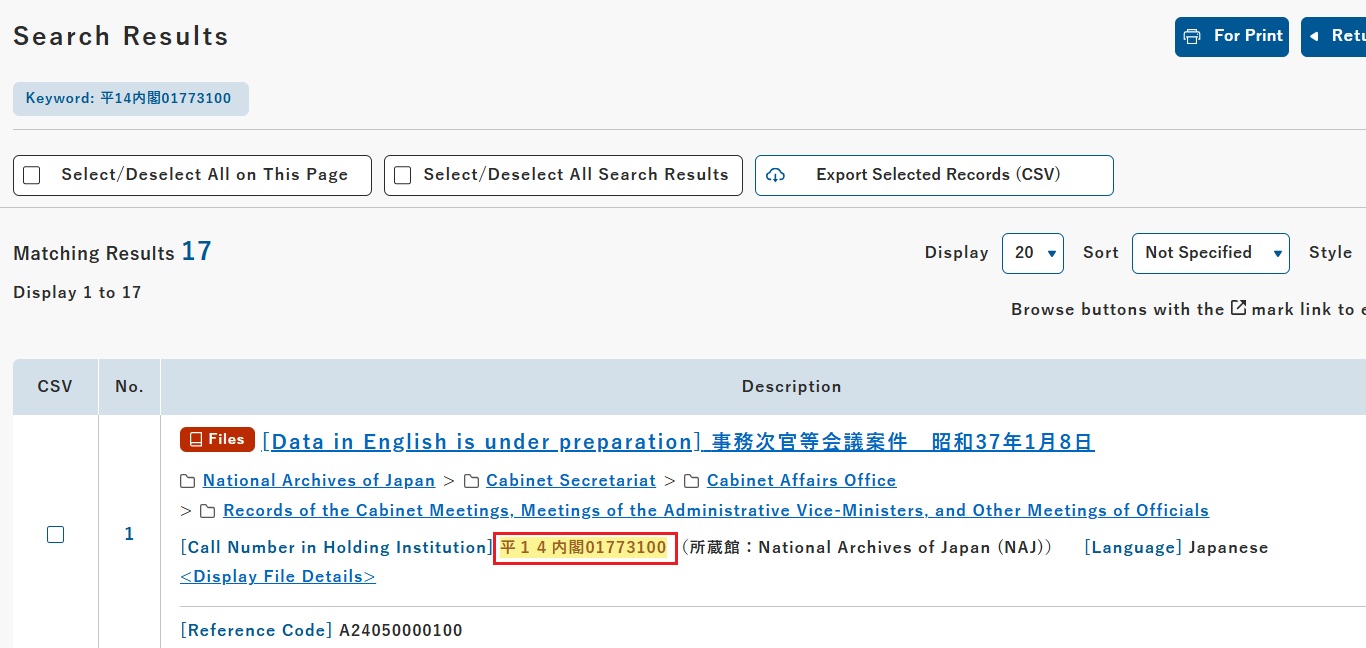
4. Search and Highlight Reference Codes
Searches performing by reference code or the call number at the holding institution will also display only those records that contain the matching character string. The character string is highlighted in the results list, making it easier to find the corresponding place.
5. Search Results Display
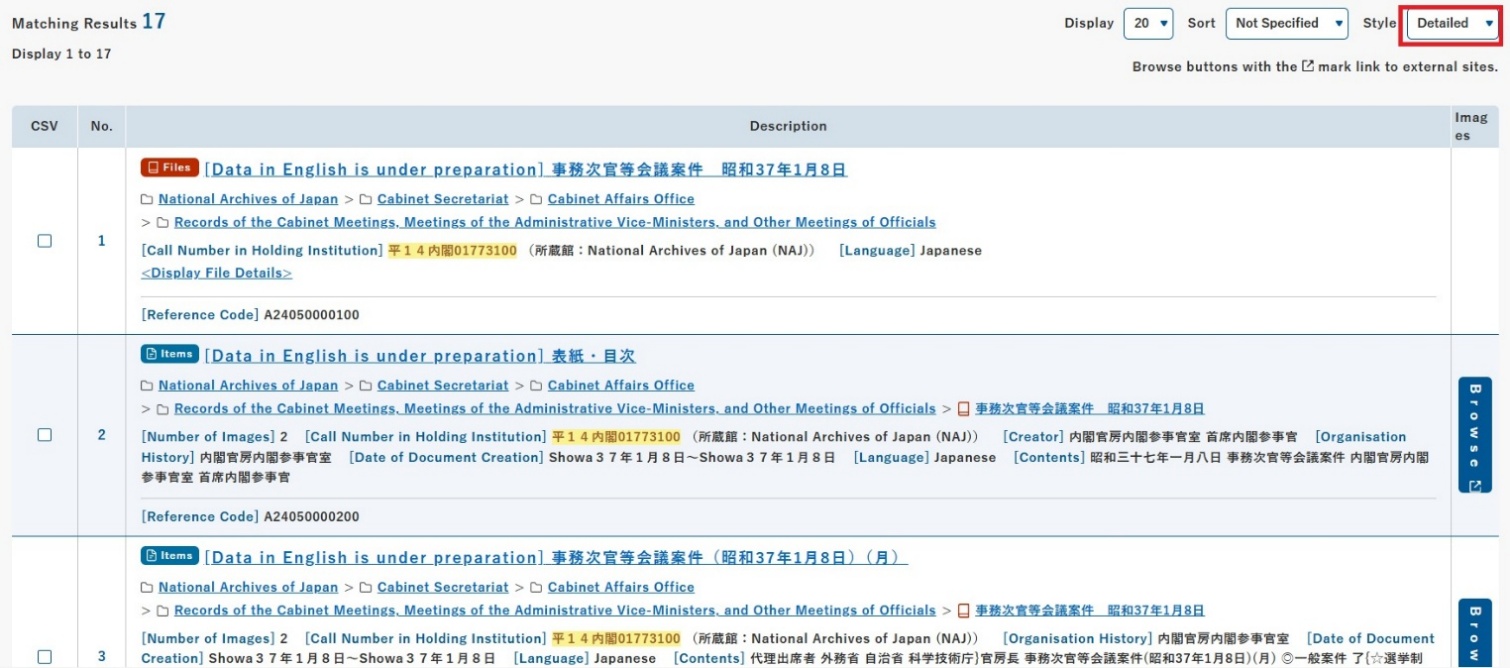
The default display style for search results has been changed from “Simple” view to “Detailed” view. You can see from the highlighting which places contain the search word without having to open each result.
The new search method will also be applied to the search bar on the home screen. The system will continue as before to distinguish between upper and lower case letters and the use of macrons.
For details regarding search methods, please refer to the “Usage Guide” at the JACAR website.
URL : https://www.jacar.archives.go.jp/aj/howto/helpKbun_01_02